
 English
What Is a Ricoh OCR Unit? Which Copiers Need It?
What Is a Ricoh OCR Unit? Which Copiers Need It ?
You've probably heard of Ricoh PostScript3 units — the SD card that unlocks genuine Adobe PDF printing. But what about the OCR Unit? It's a smaller product line, but for the right customer it's just as important.
Here's the plain-English version.
What is OCR?
OCR stands for Optical Character Recognition. Without OCR, when you scan a paper document on a Ricoh copier, the machine saves it as an image — a PDF that looks like a photo of the paper. You can't search it, can't copy-paste from it, and can't edit it.
With an OCR Unit installed, the machine reads the text during scanning and saves a searchable PDF. You can Ctrl+F for a name, copy-paste paragraphs, and index the file.
Which Ricoh machines need an OCR Unit ?
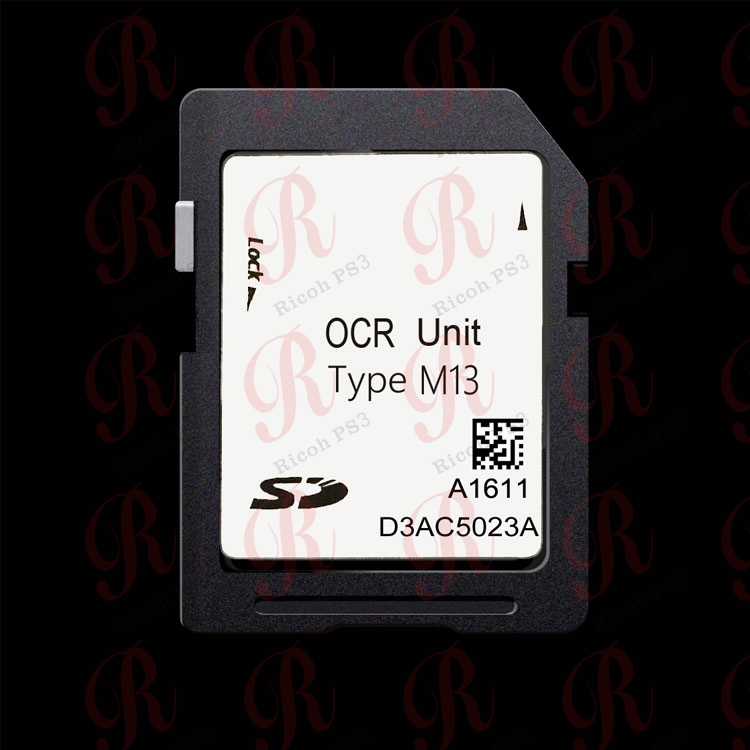
Not every copier ships with OCR built in. On many Ricoh MFPs, OCR is an optional SD card — typically the OCR Unit Type M13 or Type M2, depending on the machine generation.
If your customers ask "can I search this scanned PDF?" and the answer is no, their machine probably doesn't have OCR installed.
Who actually needs OCR?
- Law firms and legal offices — they scan thousands of documents and need to find them fast.
- Accounting firms — invoices and receipts must be searchable.
- Healthcare and clinics — patient records require searchable PDFs.
- Large enterprises — document management systems rely on searchable scans.
Smaller offices can often live without it. But if a customer complains "I scanned 500 pages and now I can't find anything," they need OCR.
What does the OCR Unit do?
- Converts scanned images into searchable, selectable PDFs during the scan job.
- Works in the background — the user just presses "scan" and gets a searchable file.
- Supports multiple languages depending on the machine firmware.
- No PC or external software needed — it runs on the copier itself.
FAQ
Q: Is OCR the same as PostScript3? A: No. PostScript3 handles printing. OCR handles scanning. They are separate optional cards.
Q: Can I add OCR later? A: Yes — it's an SD card that plugs into the controller, same as a PostScript3 unit.
Q: Which Type fits my machine? A: Send us your Ricoh model name and we'll confirm whether it needs Type M13 or Type M2.
Contact ricohunit.com for wholesale pricing