
 English
Why Do Ricoh Copiers Need a PostScript3 Unit?
Why Do Ricoh Copiers Need a PostScript3 Unit?
Almost every used Ricoh copier on the market is sold as "basic configuration" — no finisher, no fax, no PostScript. Of those missing options, the one that most often comes back to bite a new owner is the PostScript3 Unit.
Here's what it is, and why it matters.
The problem: your PDF prints wrong
You send a ten-page PDF from a design studio, a legal firm or an architect's office. On screen it looks perfect. On your Ricoh, the font is swapped, the logo is shifted, or colors come out muddy.
This almost always happens because the machine only has PCL emulation plus Ricoh's built-in PostScript3 emulation, not a real licensed Adobe PostScript interpreter. PCL is a printer control language made for office text; PostScript is a page-description language designed by Adobe for graphics-intensive output.
What a PostScript3 Unit actually is
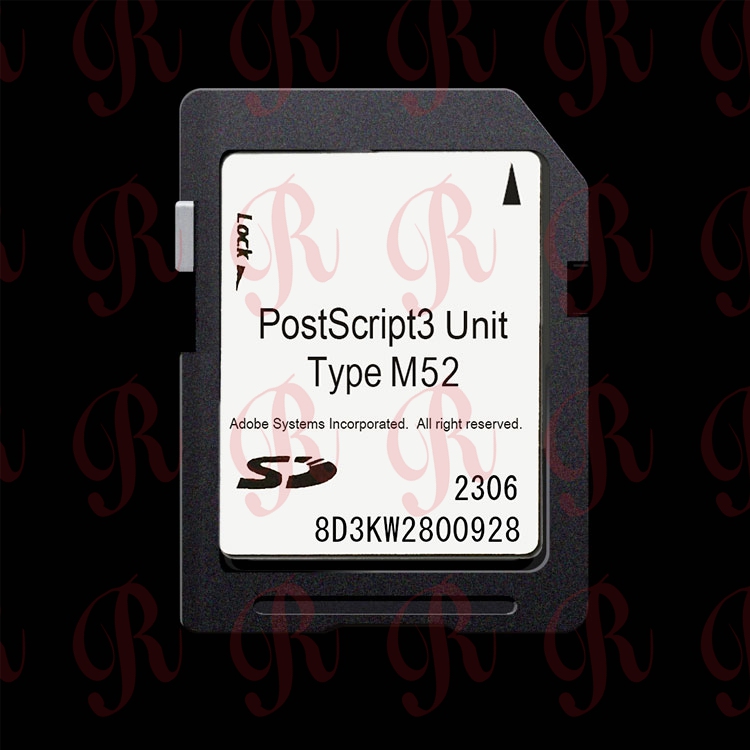
It's a small SD-card-style module — depending on your machine generation, it could be PostScript3 Unit Type M54, PostScript3 Unit Type M52, Type M45, Type M44 or Type M37. Once inserted, the copier gets a genuine Adobe PostScript 3 RIP built in. PDFs, Illustrator files and CAD drawings render exactly as they were designed.
Who actually needs it?
- Print shops and print-on-demand businesses — non-negotiable.
- Law firms and accounting offices — court filing PDFs must print 1:1.
- Architecture, engineering and design studios — CAD and vector output depend on PS.
- General offices — can often live without it, but once they print a tricky PDF they'll wish they had it.
Why this matters if you're a reseller
A used Ricoh with PS3 enabled sells 10–20% faster, and at a higher price, than the same machine without it. The card itself costs a fraction of the finished machine's margin. That's why savvy refurbishers buy PostScript3 units in bulk and pre-install them before resale.
FAQ
Q: Does every Ricoh copier need a PostScript3 Unit? A: No. If you only print Word documents and simple spreadsheets, the built-in emulation is enough. You only need the genuine unit once you deal with complex PDFs, vector graphics or color-managed proofs.
Q: Can I add it later, or does it have to come with the machine? A: You can add it later. It's an SD card that plugs into the controller — no firmware flashing, no technician visit required.
Q: How do I know which Type fits my machine? A: It depends on the model. IM 370 / 460F takes Type M54; IM C2510–C6010 takes Type M52. Send us your machine name and we'll confirm.