Ricoh PostScript3 Unit Type M28: Compatibility Guide
If you've picked up a used Ricoh MP C307SP, MP C307SPF, or MP C407SPF color MFP and the buyer asks for PostScript support, you need the PostScript3 Unit Type M28. This SD-card-sized module unlocks genuine Adobe PostScript Level 3 emulation on these compact color machines, so they can handle complex PDF, EPS, and vector print jobs that the standard GDI driver simply cannot.
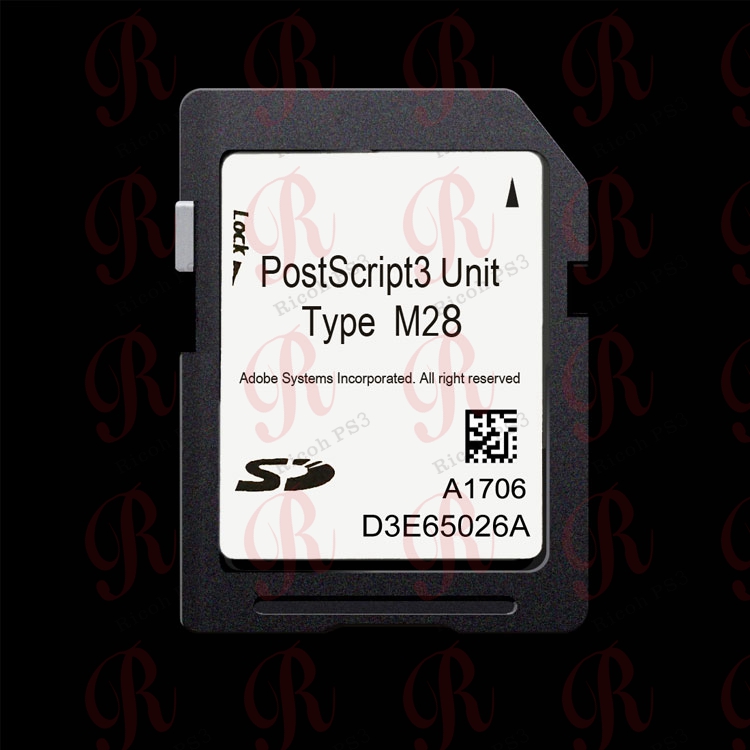
The PostScript3 Unit Type M28 is an official Ricoh hardware module that adds Adobe PostScript Level 3 emulation to compatible Ricoh MFPs. It is delivered as a small SD-card-sized board that plugs into the controller slot inside the machine. Once installed, the printer gains a native PostScript 3 driver option in the print driver and on the device panel.
Part Numbers (EDP Codes)
Compatible Printer Models
|
Category
|
Compatible Models
|
|
Ricoh MFP
|
MP C307SP / MP C307SPF / MP C407SPF
|
Why Do You Need PostScript 3?
Without PostScript, your Ricoh MFP uses the standard GDI/RPCS driver, which rasterizes the print job on your computer. This causes problems with complex PDFs, architectural CAD drawings, graphic design files, and documents from Mac or enterprise ERP software. PostScript 3 moves the rendering to the printer itself, producing consistent, high-fidelity output across different computers and software applications.
FAQ
Is the PostScript3 Unit Type M28 genuine Ricoh?
Yes, this is a genuine Ricoh OEM part. We supply new, original units sourced from Ricoh channel partners, not third-party clones.
Which Ricoh printers use Type M28?
This unit is designed for: MP C307SP, MP C307SPF, MP C407SPF. Please verify your machine model before ordering.
How do I install the M28 unit?
The module is an SD card that slides into the controller slot on the MFP. Installation takes 5-10 minutes. Once inserted, the PostScript 3 driver option becomes available in the print driver and on the device's operation panel.
Do I need to buy a separate driver for the M28?
No. Once the hardware module is installed, you can download the PostScript 3 driver for free from Ricoh's support website. The driver is already licensed by the hardware.
Can I buy the M28 unit at wholesale price?
Yes — we supply wholesale pricing to resellers, refurbishers, and copier dealers. Contact us for a bulk quote.
Shop now:
Contact ricohunit.com for wholesale pricing


 English